
NutriTrack
NutriTrack tracks nutrition by connecting an IoT scale, a third-party nutrition API, and an ML recommendation model. I worked mainly on the backend and IoT integration, with minor contributions on the mobile side.
How It Works
Users log a meal via the mobile app. The app sends the food name to the backend, which then requests the current weight from the ESP32. The ESP32 reads the load cell and responds only after the weight is stable.
The backend combines the weight with the food name and queries CalorieNinjas. The returned nutrition data reflects the actual portion on the scale. The system saves this data to the daily log and sends it back to the mobile client.
IoT Integration — ESP32 Web Server
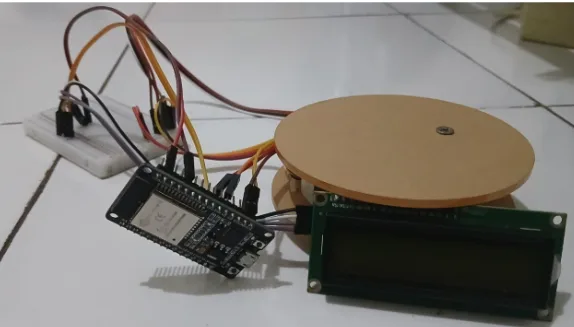
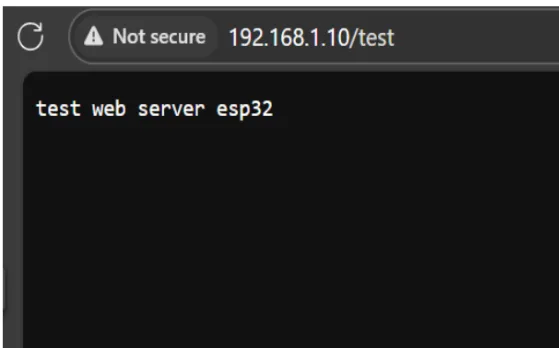
The ESP32 acts as a web server. The backend connects via a static IP and retrieves weight data using the REST API protocol. The stability logic runs on the ESP32, meaning it only responds when the load cell reading is stable. This frees the backend from handling retry loops or hardware-level sensor logic.
Third-Party APIs — CalorieNinjas
The backend uses CalorieNinjas for nutrition lookup. Text logging uses the exact gram value from the ESP32 to calculate accurate macros. Image logging forwards a photo to the CalorieNinjas image recognition endpoint to identify food and retrieve nutrition data. All third-party responses are normalized into standard HTTP status codes before reaching the mobile client.
ML Inference — Diet Recommendations
The recommendation feature uses a pre-trained inference model sourced from GitHub. The model runs locally on the server to process user profiles into personalized diet plans. Running it locally eliminates remote API latency and keeps user data private.
API Documentation
System Architecture (ERD & Sequence Diagram)
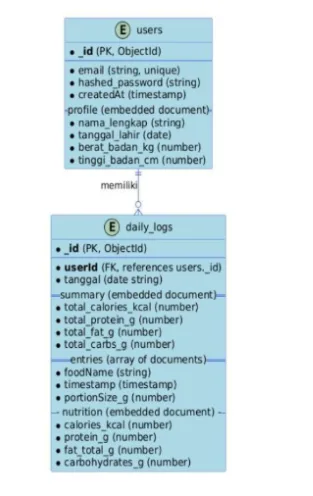
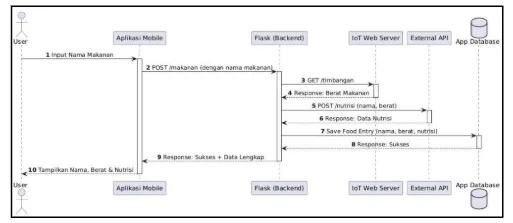
The ERD defines the data structure for user profiles, daily logs, and food items in MongoDB. The sequence diagram maps the synchronous communication between the mobile app, Flask backend, ESP32, and CalorieNinjas during a meal log.
Swagger Integration
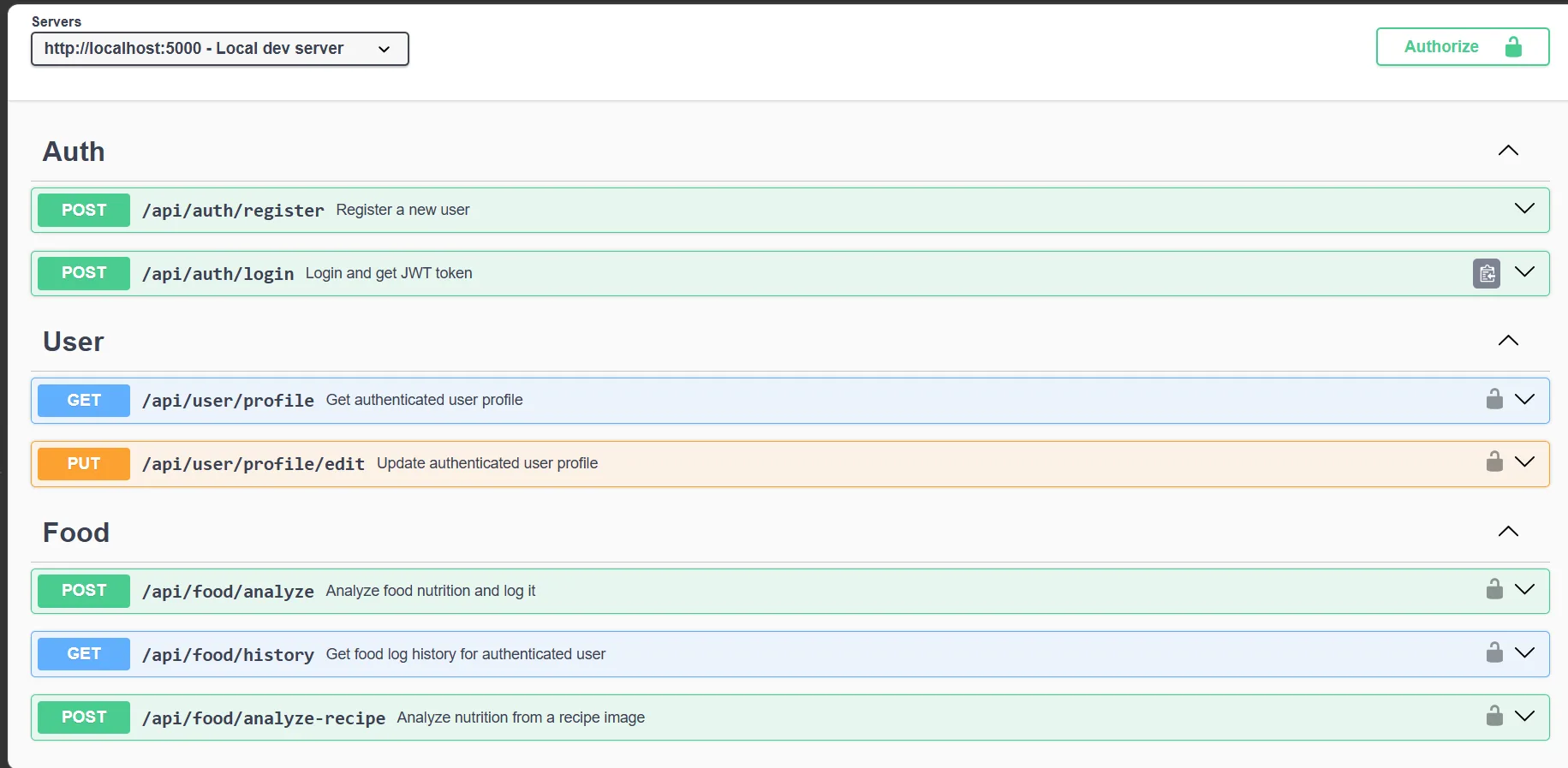
API documentation is available via Swagger UI at /api/docs using an OpenAPI 3.0.3 specification. It covers request formats, response schemas, and JWT authentication for all 8 endpoints, replacing scattered Postman files with testable, centralized documentation.
Tech Stack
- Mobile: Flutter
- Backend: Python, Flask
- Database: MongoDB
- IoT: ESP32 + HX711 load cell
- Nutrition API: CalorieNinjas
Project Links
- GitHub Repository: Isann22/NutriTrack
- Mobile Demo: View Video
- IoT Demo: View Video